Updating ReelsWP Pro is safe because your reels, groups, and settings are stored in the database, not inside the plugin files. Below are two easy update methods you can follow.
Method 1: Update from your WordPress dashboard
- Log in to your WordPress admin panel.
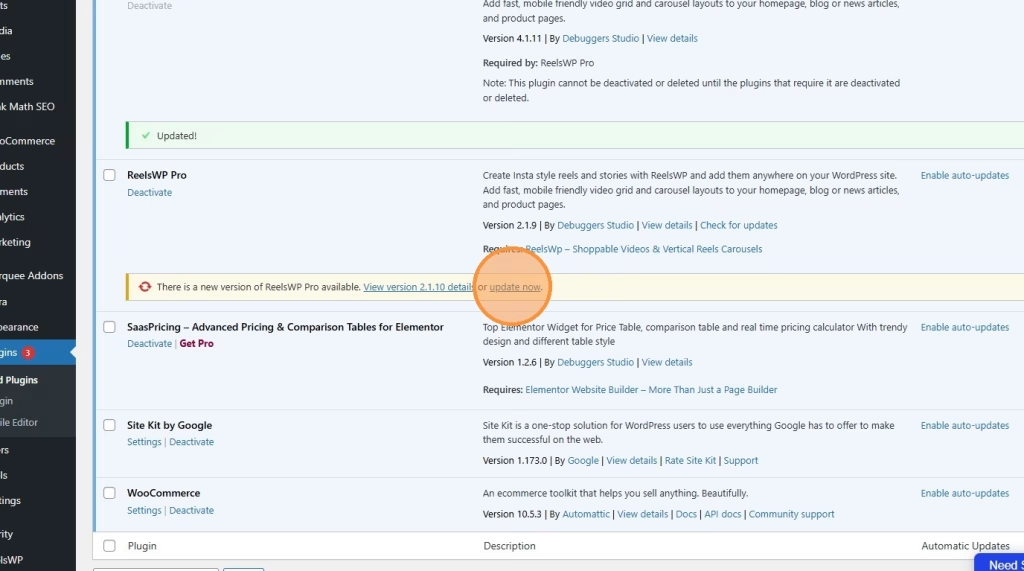
- Go to Plugins > Installed Plugins.
- Find ReelsWP Pro in the list.
- If you see an update notice, click Update now.
- Wait for the update to finish, then refresh the page.
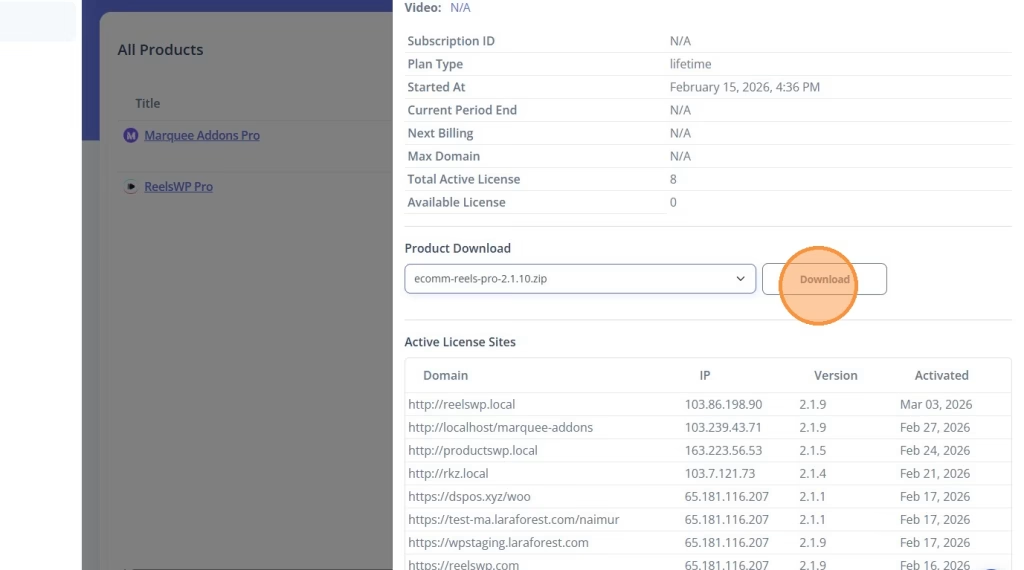
Method 2: Download the latest version from your CRM account
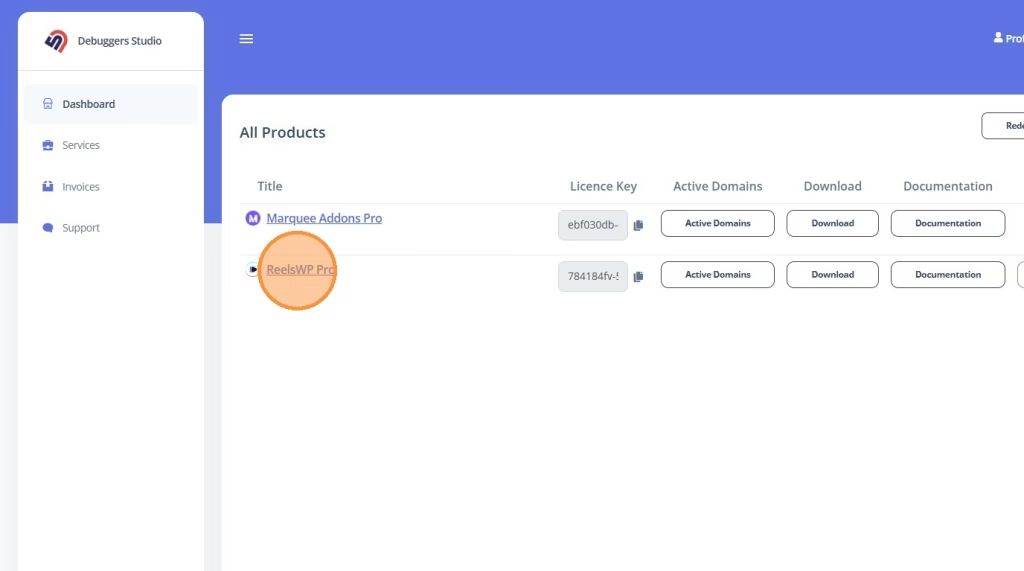
- Log in to your CRM account (the account where your ReelsWP Pro purchase is listed).
- Go to your product list and click ReelsWP Pro.
- In the product details area, find the version dropdown.
- Select the version you want (usually the latest).
- Click Download to get the plugin ZIP file.
- Now update it on your WordPress site:
- Go to Plugins > Add New
- Click Upload Plugin
- Upload the downloaded ZIP and complete the update flow
After updating: quick check (recommended)
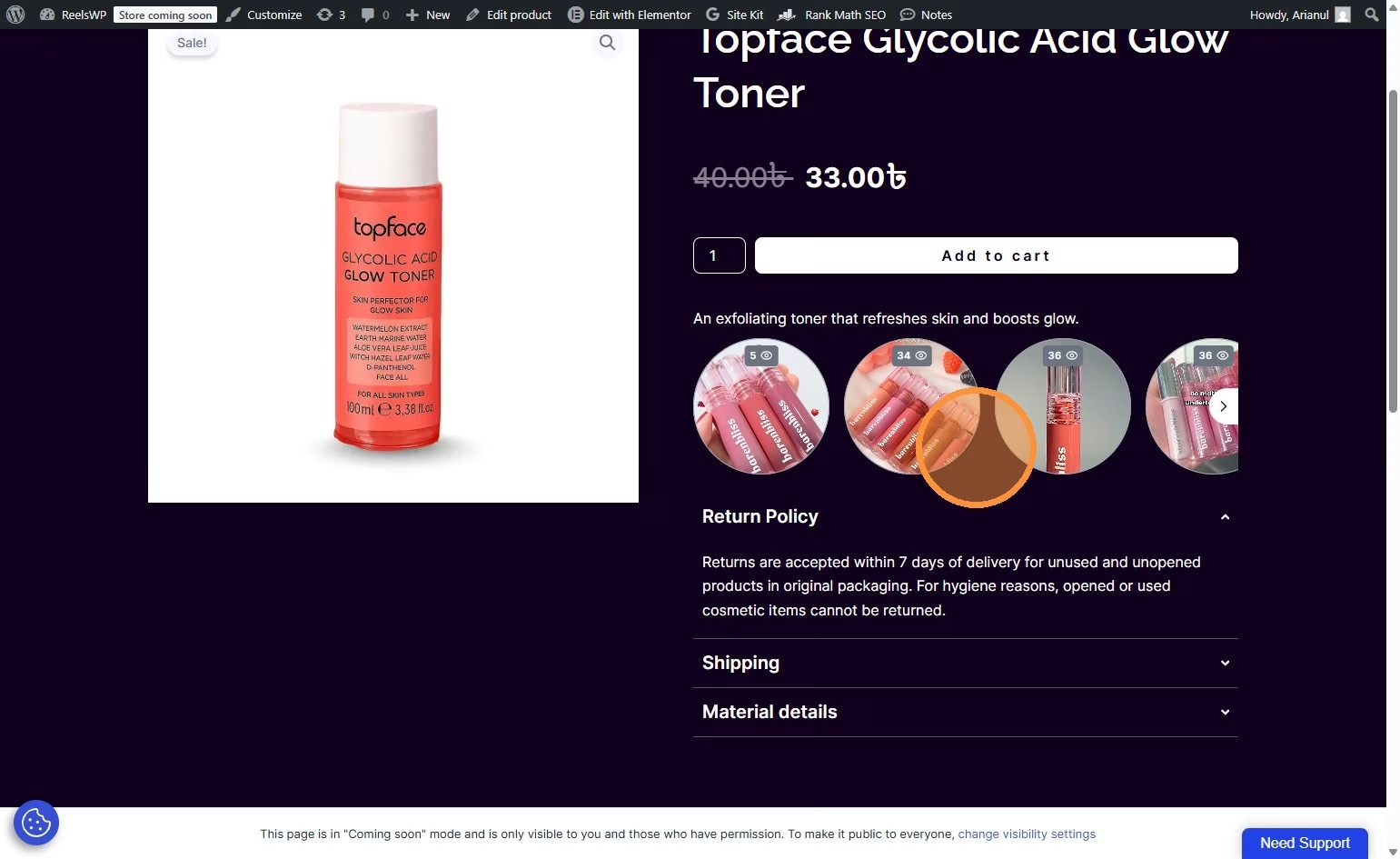
- Open any page/post where reels are shown.
- Confirm the reels load correctly.
- Open ReelsWP dashboard and confirm your groups and videos are still there.
FAQs
1) Will updating ReelsWP Pro delete my reels or groups?
No. Your reels, groups, and settings stay safe because they are saved in your WordPress database.
2) Which update method should I use?
- Use WordPress Dashboard update if you see the “Update now” button.
- Use the CRM download method if you want to pick a specific version or manually install the latest version.
3) Do I need to deactivate the plugin before updating?
No, not usually. Updating normally works without deactivating.
4) What if the “Update now” button does not appear?
That means WordPress is not showing an automatic update for your setup. Use the CRM download method and update manually.
5) What if the update fails halfway?
Refresh your WordPress dashboard once, then try again. If it still fails, do the manual ZIP update from your CRM account.
6) Will I lose my license activation after updating?
No, your license stays active in most cases. If it ever asks again, just paste the same license key in ReelsWP > License.
7) How can I confirm I’m on the latest version?
Go to Plugins > Installed Plugins, find ReelsWP Pro, and check the version shown there. You can also compare it with the version shown in your CRM download dropdown.
8) Should I take a backup before updating?
It’s a good habit. A quick database backup (or a full site backup) is recommended before any plugin update, especially on live sites.