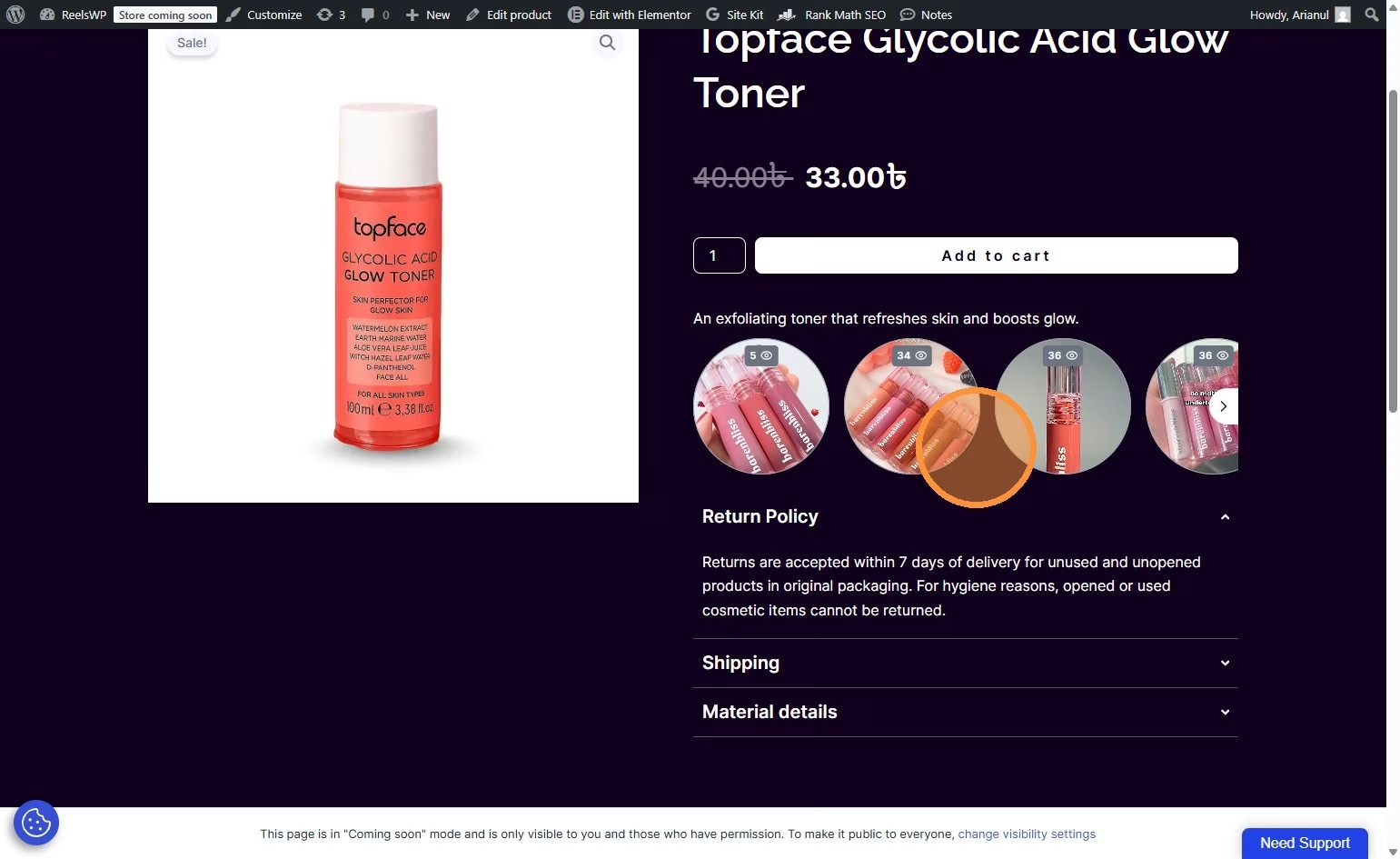
Follow these steps to activate your ReelsWP Pro license key in WordPress. This guide will ensure that your plugin is properly licensed and ready to use.
Step 1: Go to Your WordPress Website
- Open your WordPress site’s admin dashboard.
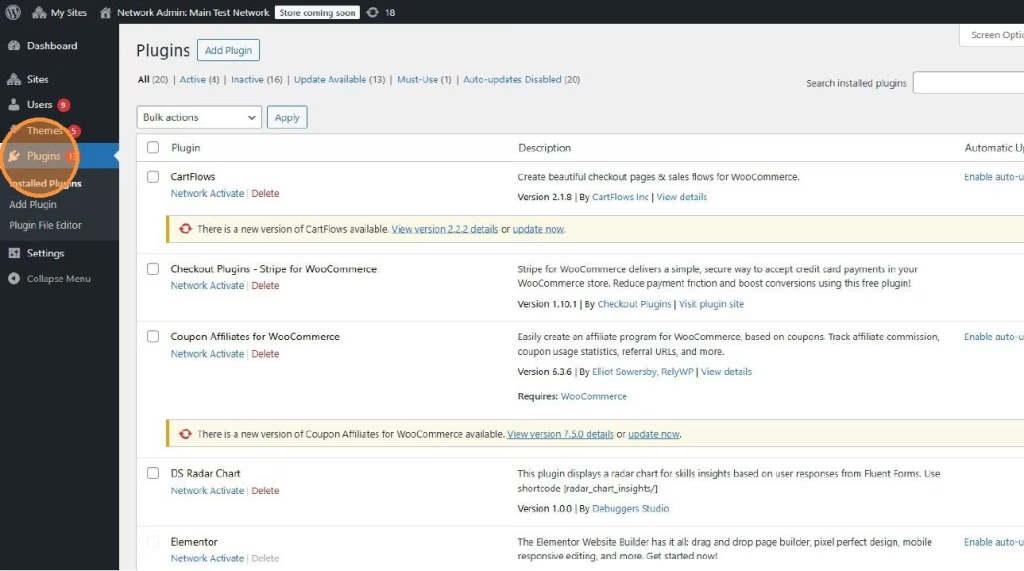
Step 2: Navigate to Plugins
- In the left sidebar of the WordPress dashboard, click on Plugins.
Step 3: Add the ReelsWP Pro Plugin
- Download the ReelsWP Pro plugin.
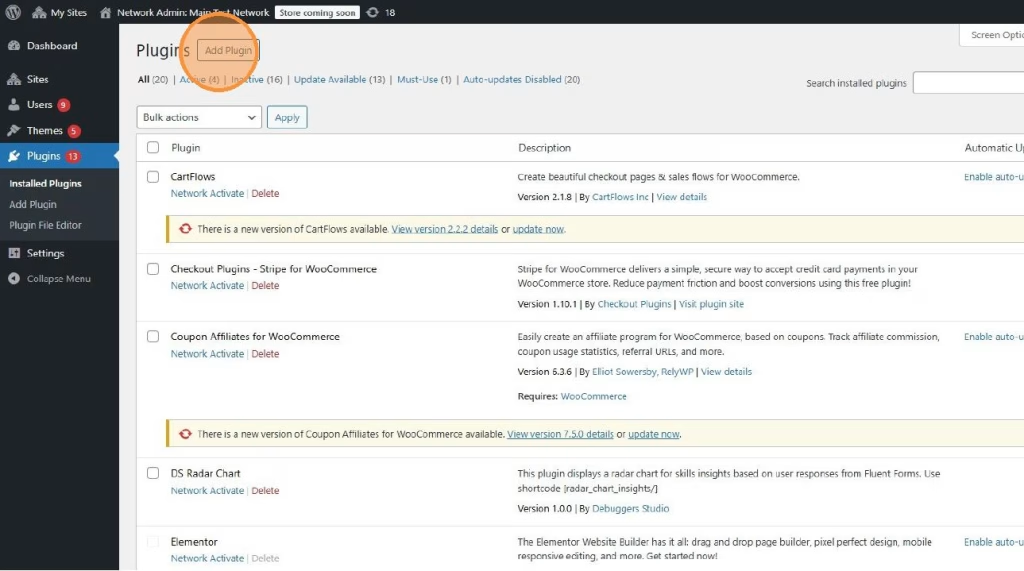
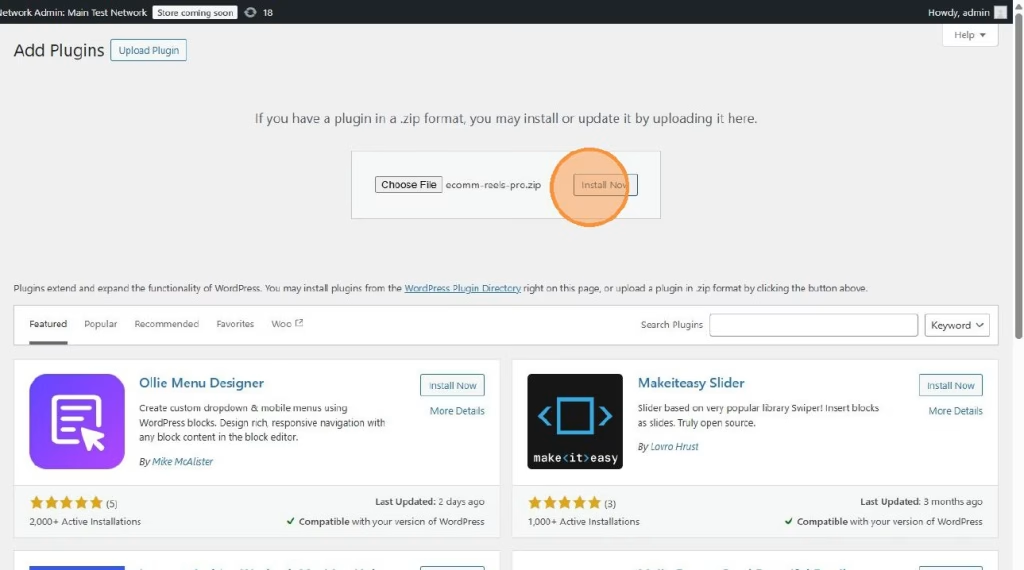
- Click Add Plugin at the top of the Plugins page.
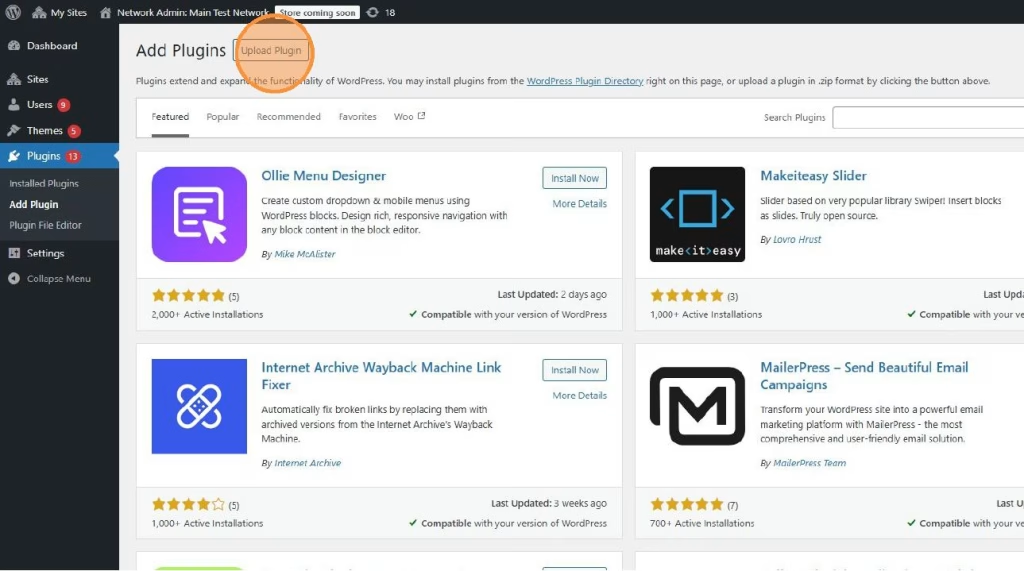
- Then, click Upload Plugin.
Step 4: Upload the Pro Plugin Zip File
- In the Upload Plugin section, click the Choose File button.
- Select the ReelsWP Pro zip file you downloaded after purchasing the Pro version.
- After selecting the file, click Install Now.
Step 5: Activate the Plugin
- Once the plugin is installed, click Activate to enable the ReelsWP Pro plugin on your site.
Step 6: Open the ReelsWP Settings
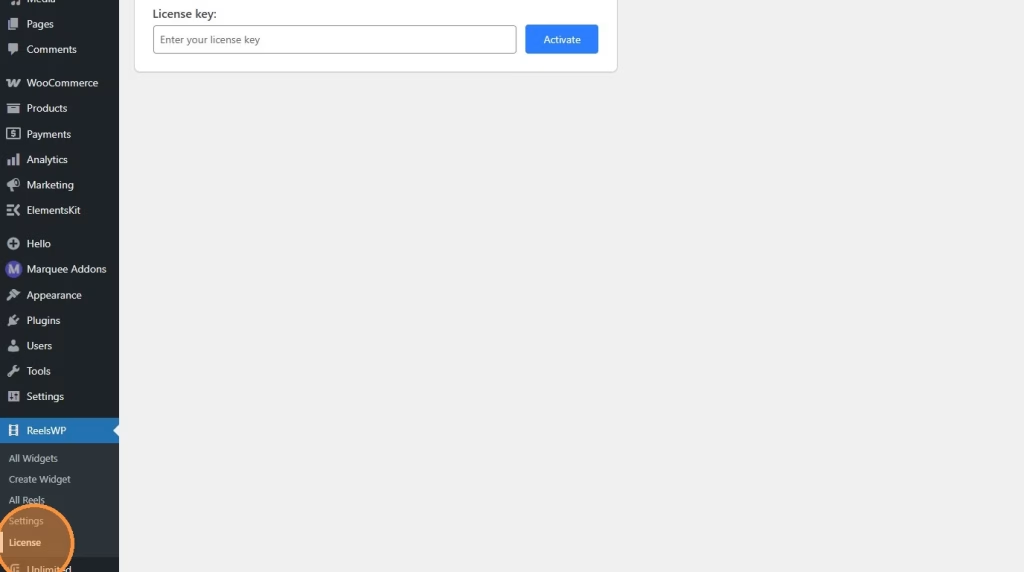
- In the WordPress dashboard, go to ReelsWP >> License in the left sidebar.
Step 7: Get the License Key
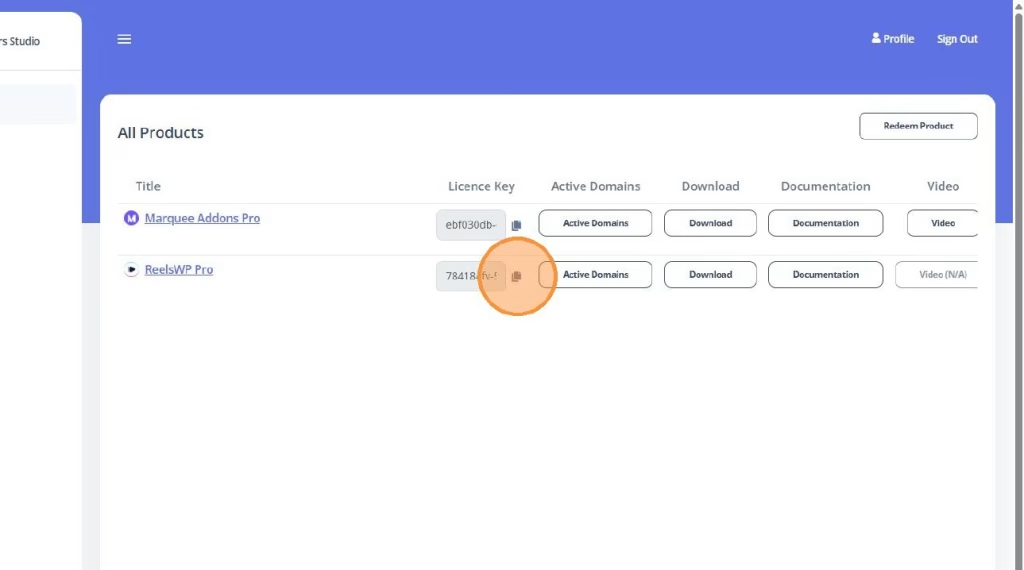
- When you purchase ReelsWP Pro, a CRM account will be created for you.
- You’ll find your license key inside your CRM account.
Step 8: Activate the License Key
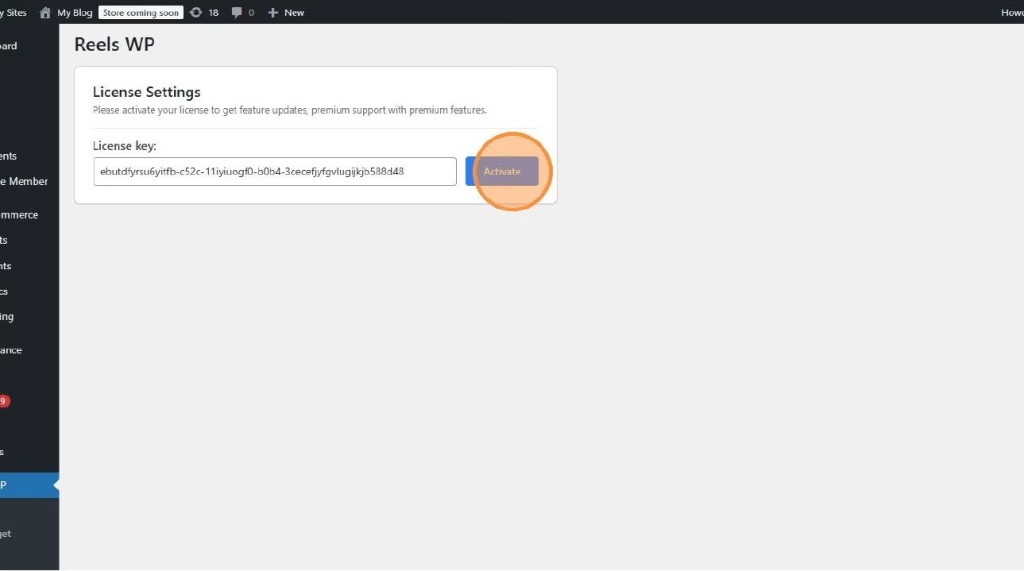
- Paste the license key into the License Key field.
- After entering the key, click Submit to activate your license.
- Once activated, you will gain access to all the premium features of ReelsWP Pro.
FAQs
1) What should I do if the license key is not working?
Ensure that you’ve copied the license key correctly. If the issue persists, try re-entering it, or contact [email protected] for assistance.
2) Do I need to activate the license key for each website?
Yes, each website where you install ReelsWP Pro requires its own activation. The license key is tied to the specific site.
3) Can I upgrade to a higher plan after purchasing?
Yes, you can upgrade your plan at any time. Simply contact ReelsWP support for assistance with upgrading your license.
4) What happens if I don’t activate my license?
If you don’t activate your license, you will only have access to the basic features of ReelsWP. Premium features will be disabled until activation.
5) How can I update ReelsWP Pro?
You will find all the ReelsWP Pro versions in your CRM account. You can select and download the version you want.