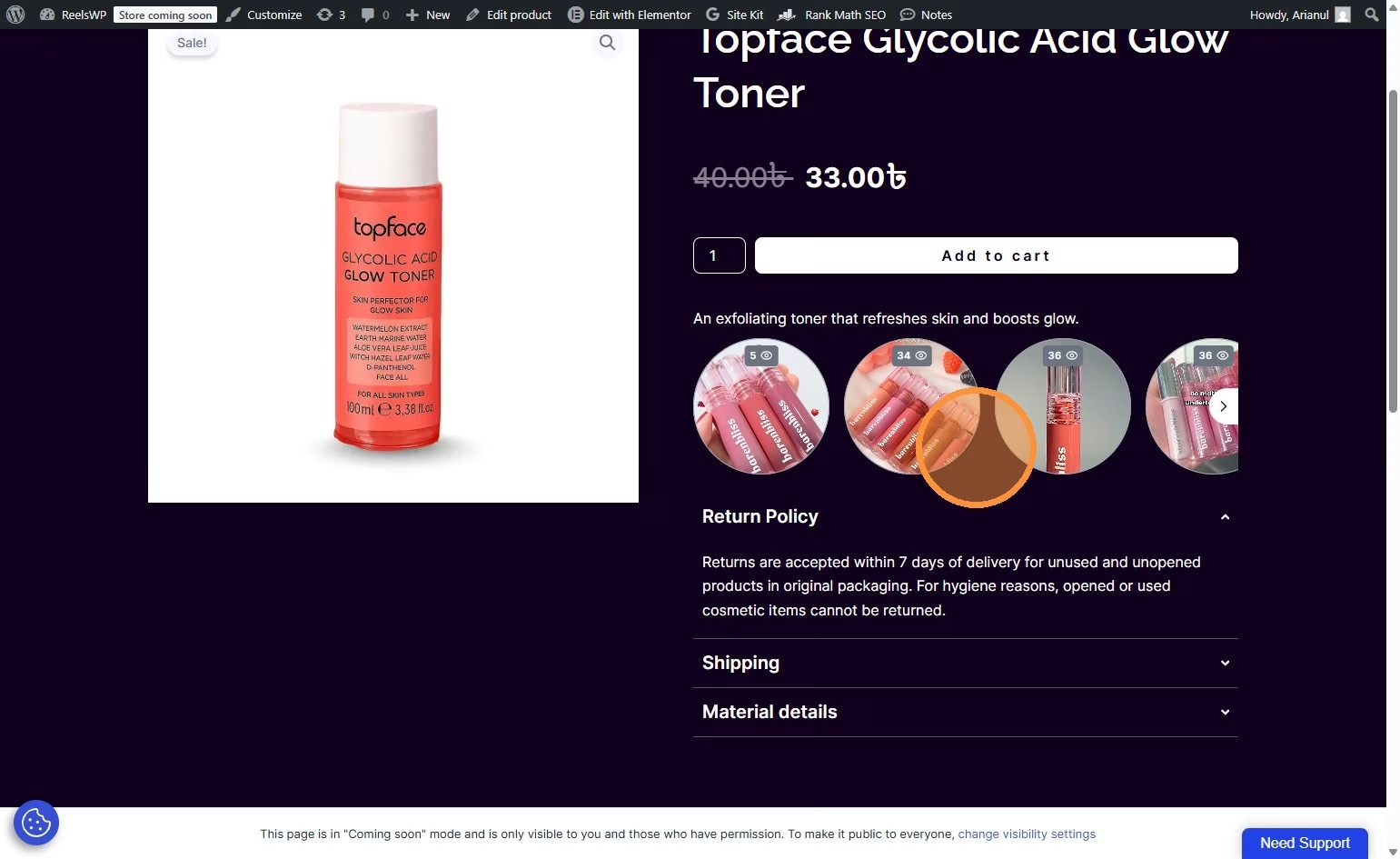
Adding a Call-to-Action (CTA) button like “Buy Now” inside your reels can significantly increase conversions, especially for eCommerce and product-focused websites. Below is a simple, step-by-step guide based on your provided document, followed by a helpful FAQ section.
Step-by-Step Process to Add CTA Buttons Inside Your Reels
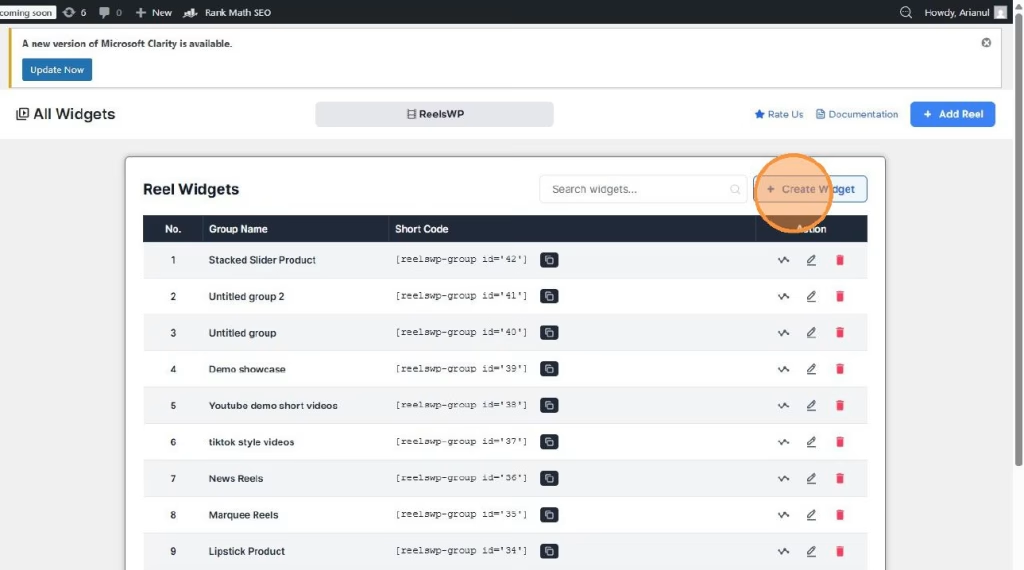
Step 1: Create a New Widget
- Click on “Create Widget” from your dashboard.
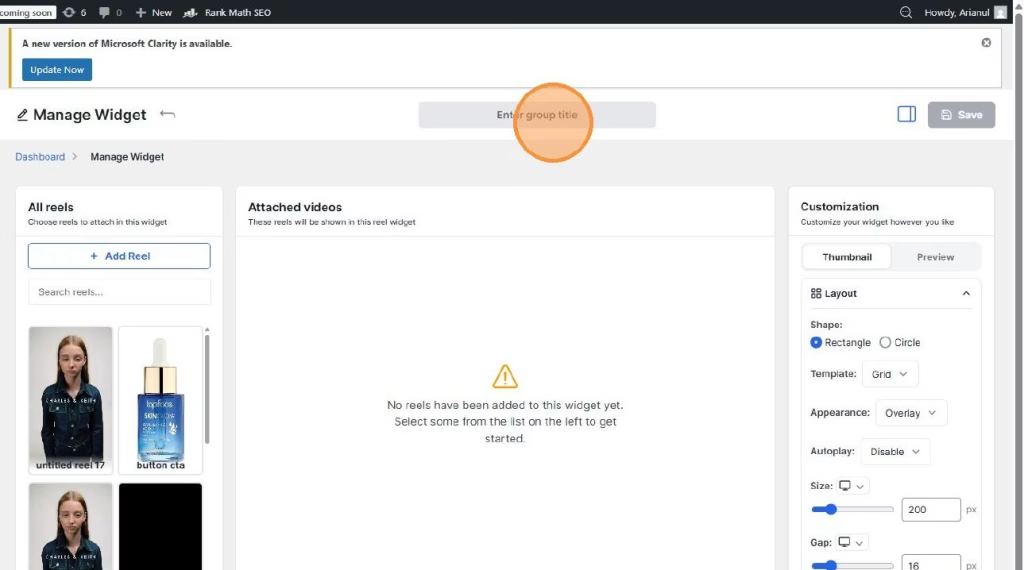
Step 2: Add a Group Title
- Click on the “Enter group title” field.
- Enter a suitable title for your reel group (e.g., Featured Products, New Arrivals, etc.).
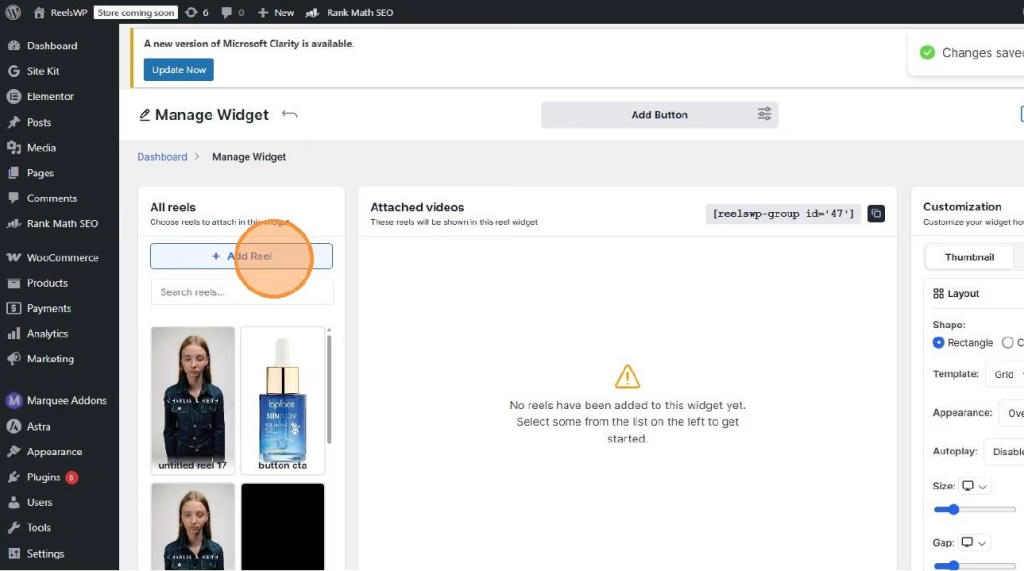
Step 3: Add a New Reel
- Click on “Add Reel.”
- Select the reel thumbnail or image placeholder.
Step 4: Upload or Select Media
- Click “Choose from Media.”
- Select your video file and click “Use this file.”
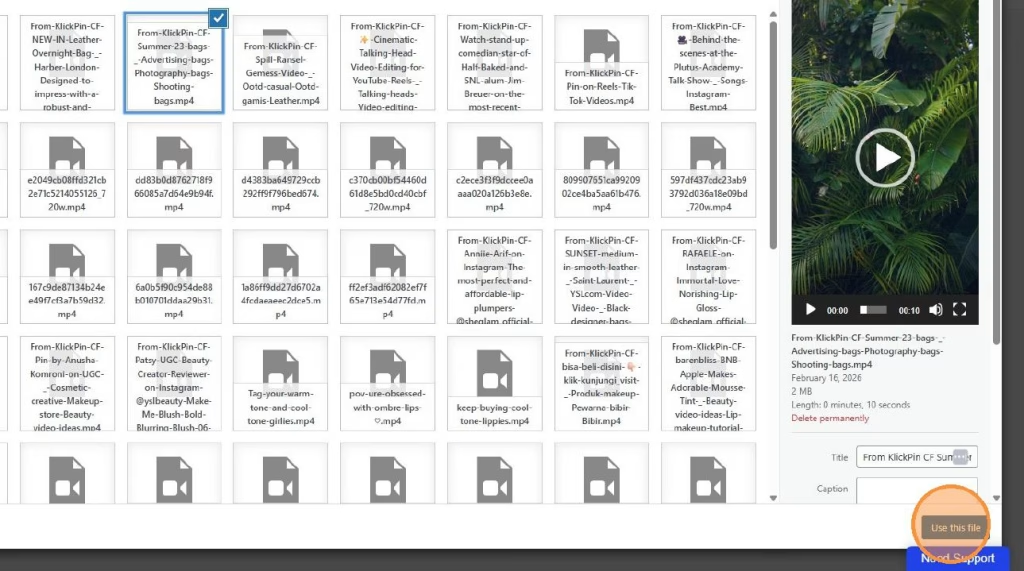
Step 5: Add a Custom CTA Link
- Click on “Add Custom Link.”
- Add your destination URL (e.g., product page, checkout page) and click “Add.”
💡 This is where you insert your CTA link such as “Buy Now”, “Shop Now”, or “Learn More”.
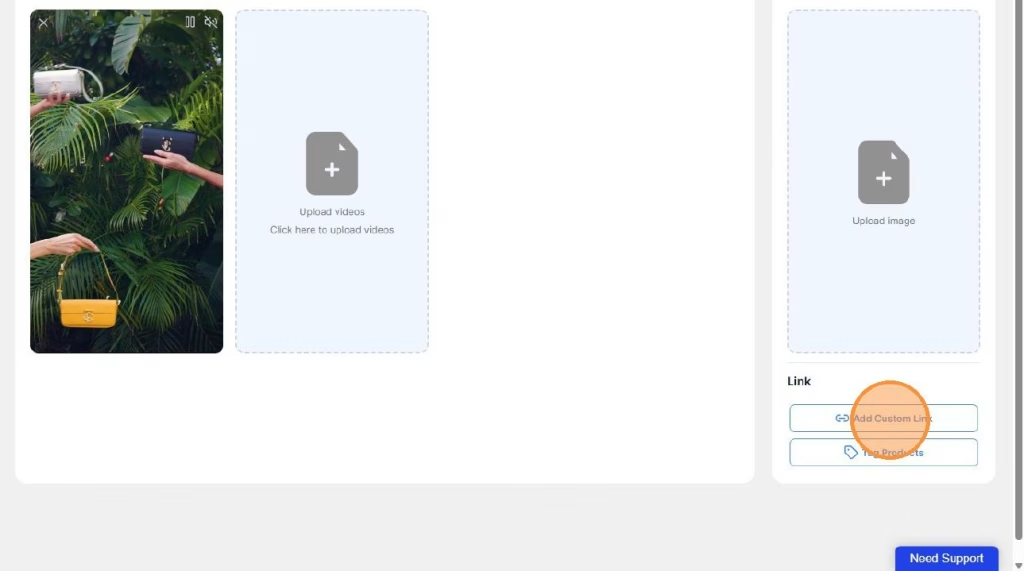
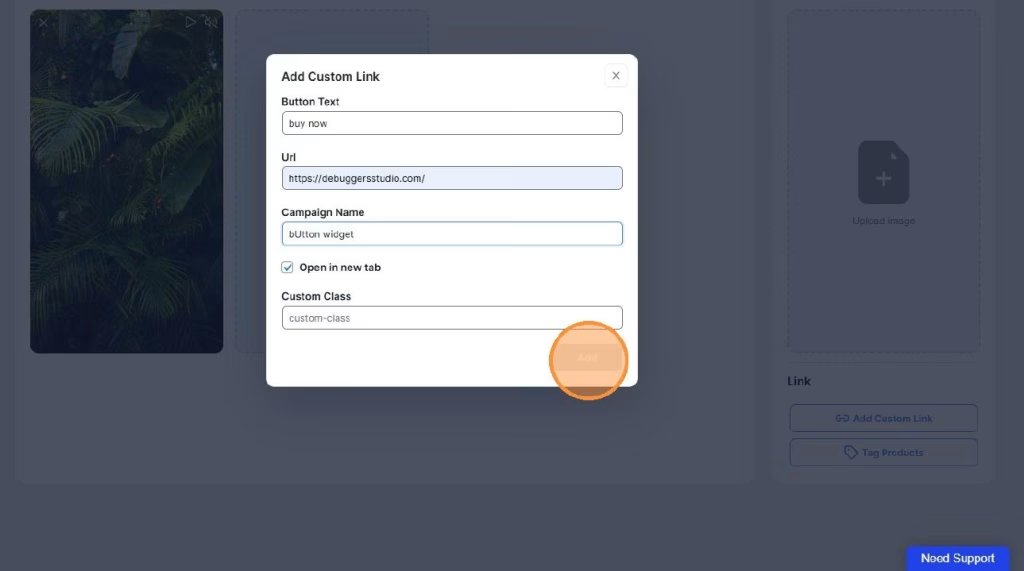
Step 6: Save the Reel
- Click “Save.”
- Click “Click to add this reel.”
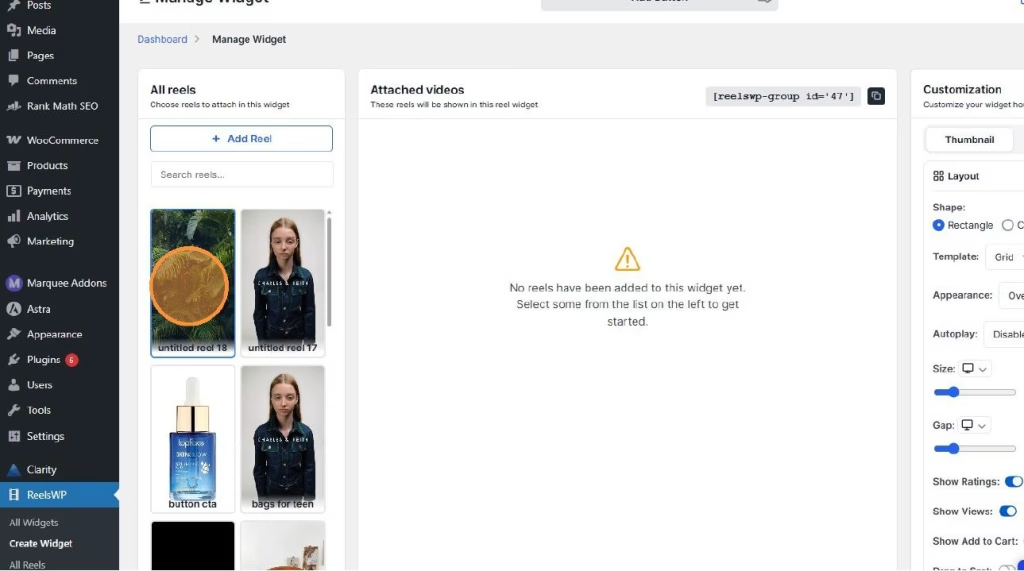
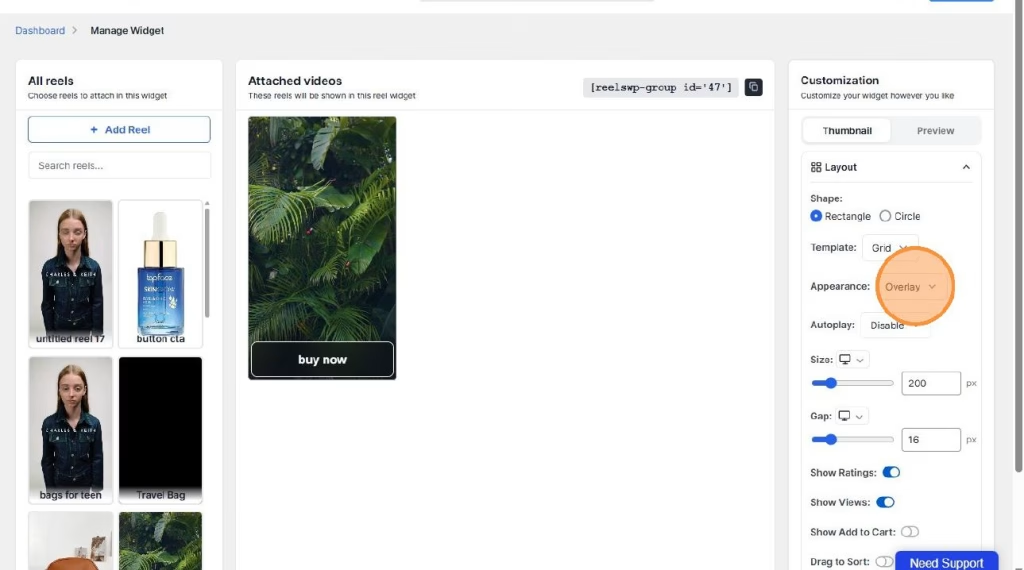
Step 7: Enable Overlay (CTA Display)
- Click on “Overlay.”
- Click “Save.”
✅ The CTA button will now appear inside your reel as an overlay, allowing users to click and take action instantly.
Frequently Asked Questions (FAQ)
1. What is a CTA button in a reel?
A CTA (Call-to-Action) button is a clickable element inside your reel that directs users to a specific page, such as a product page or checkout page.
2. Can I add multiple CTA buttons in one reel?
Typically, one strong CTA works best for better conversion. Adding multiple links may confuse users.
3. Where should I link the CTA button?
You can link it to:
- A product page
- A category page
- A landing page
- A checkout page
4. Why is my CTA button not showing?
Make sure:
- The Custom Link is added correctly
- The Overlay option is enabled
- You clicked Save after making changes
5. Can I change the CTA text?
Yes, you can customize the CTA text while adding the custom link (depending on your plugin settings).
6. Is adding CTA buttons inside reels good for eCommerce?
Yes. CTA buttons improve:
- Click-through rate (CTR)
- User engagement
- Sales conversion
Especially if you are running an eCommerce store like Shopify or WooCommerce.