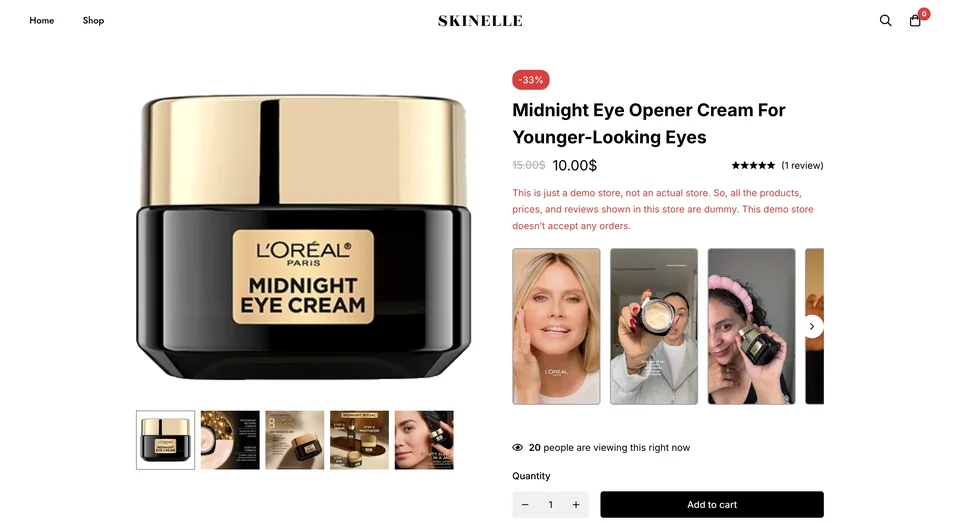
 On the product page
01 / DEMONSTRATE
Product demonstrations
Show how your product looks, works, or fits before shoppers decide.

● Shoppable videos for WooCommerce
Add product demos and customer videos to your store with ReelsWP. Tag the featured products so shoppers can watch a video, find what they like, and open the product details.
Trusted By 300+ Customers
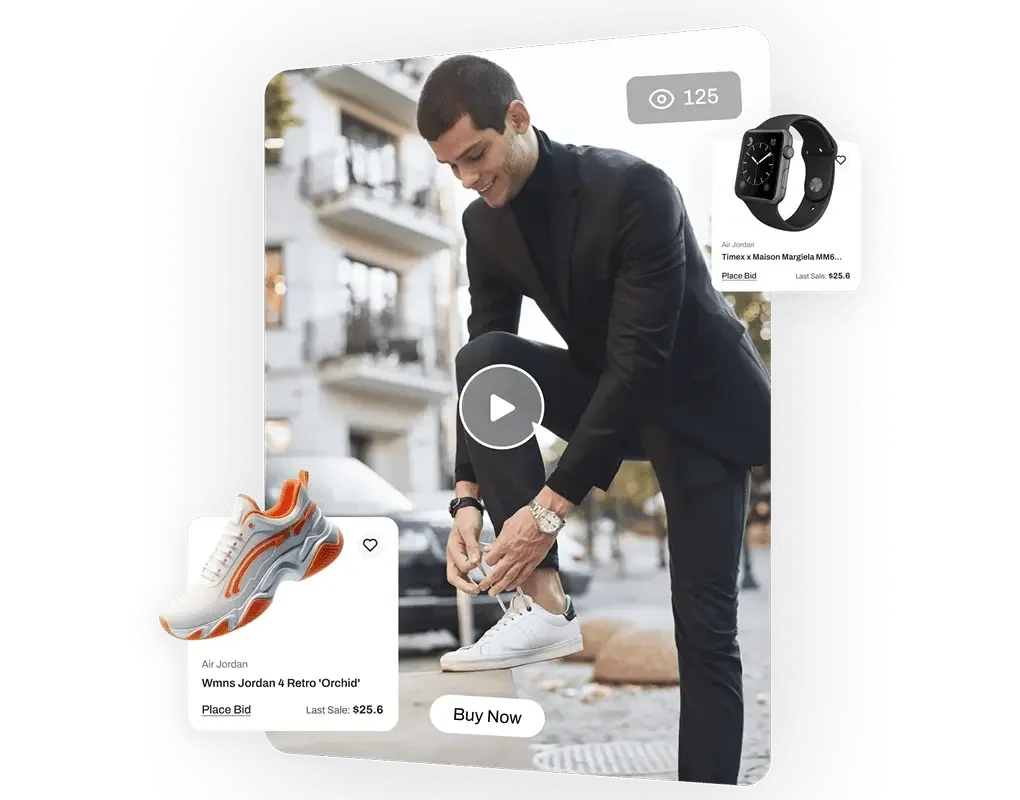
See it for yourself
See how videos, product cards, and shopping links work together in our demo store.
Watch the walkthrough, then try it in the demo store.
Explore more video layoutsStart with what you have
On the product pageShow how your product looks, works, or fits before shoppers decide.
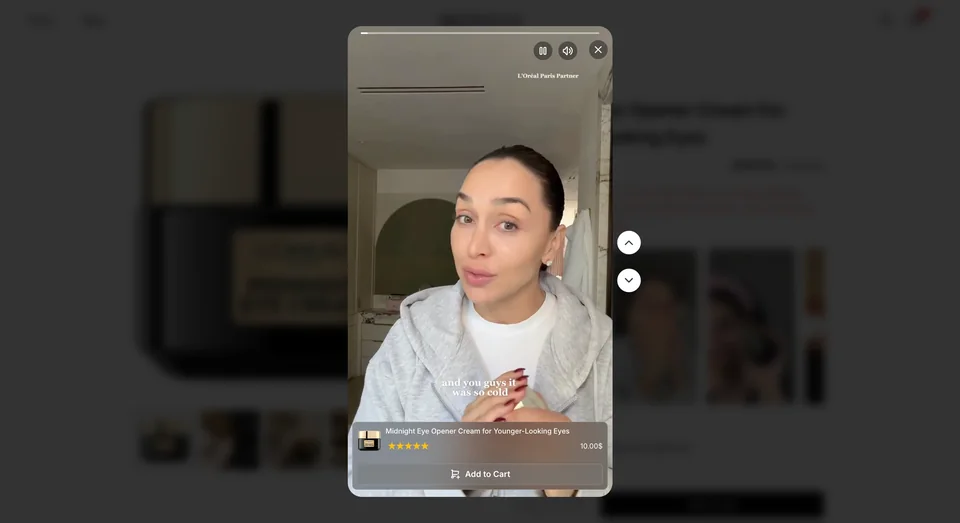 UGC with linked products
Show customers using your products, in their own words. Link each video to the products it features, with permission from its creator.
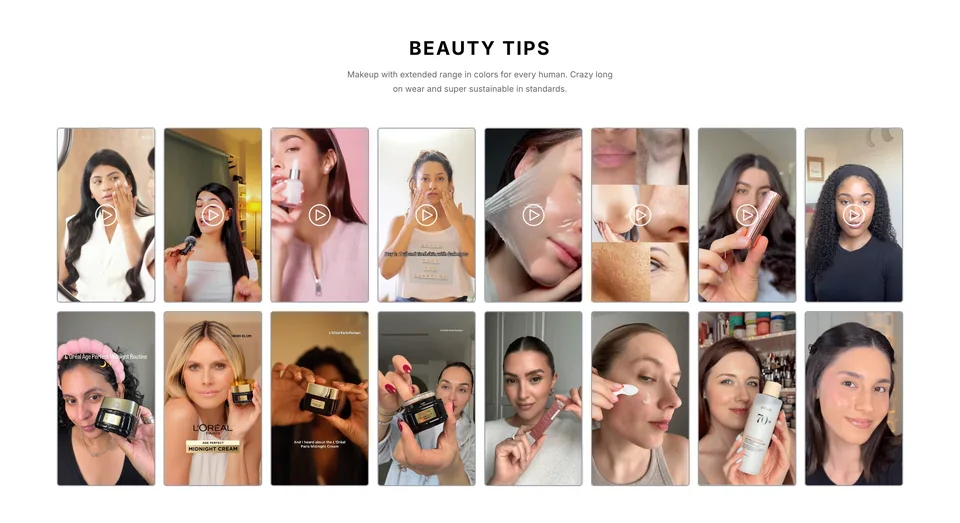 Video collections for discovery
Group tutorials, product ranges, or styling ideas in a video grid or carousel for shoppers to browse.
Set it up in WordPress
Choose your videos, link your products, and add the widget to your page.
Choose videos from your WordPress media library or connect a supported video URL. Your files stay on your own hosting or video service.
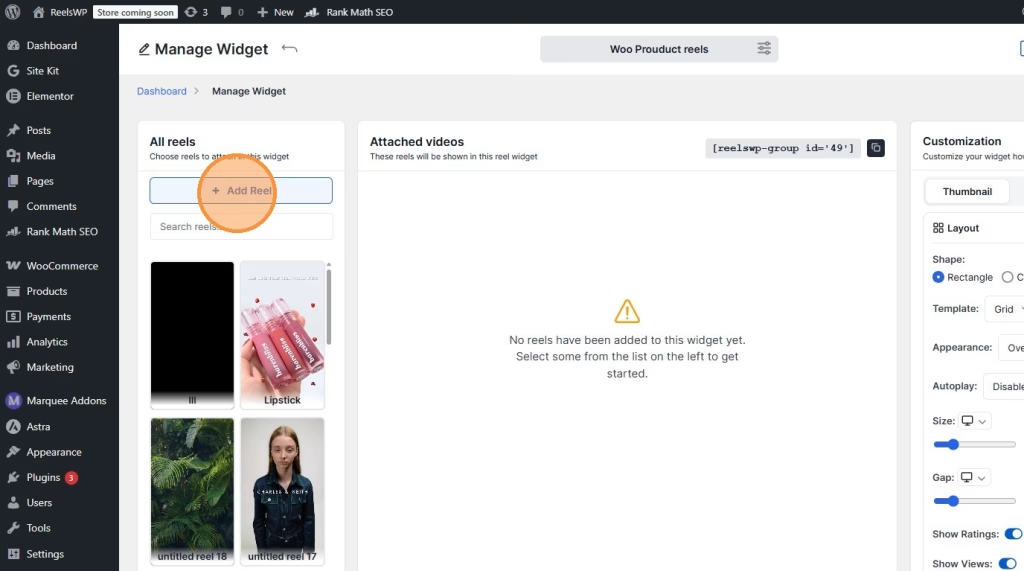
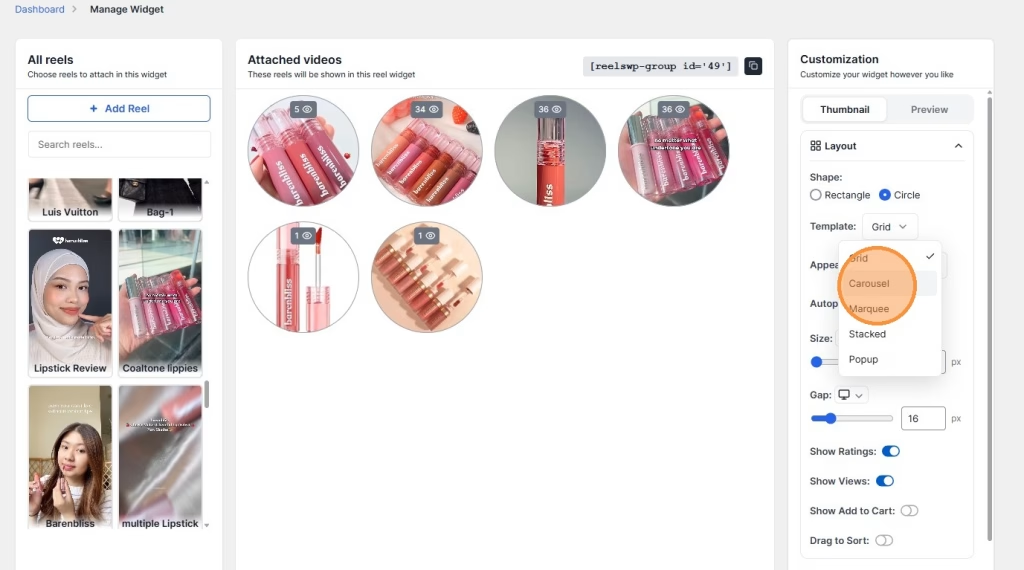
Pick a grid, carousel, or another available layout. Match it to your store and tag the products in each video.
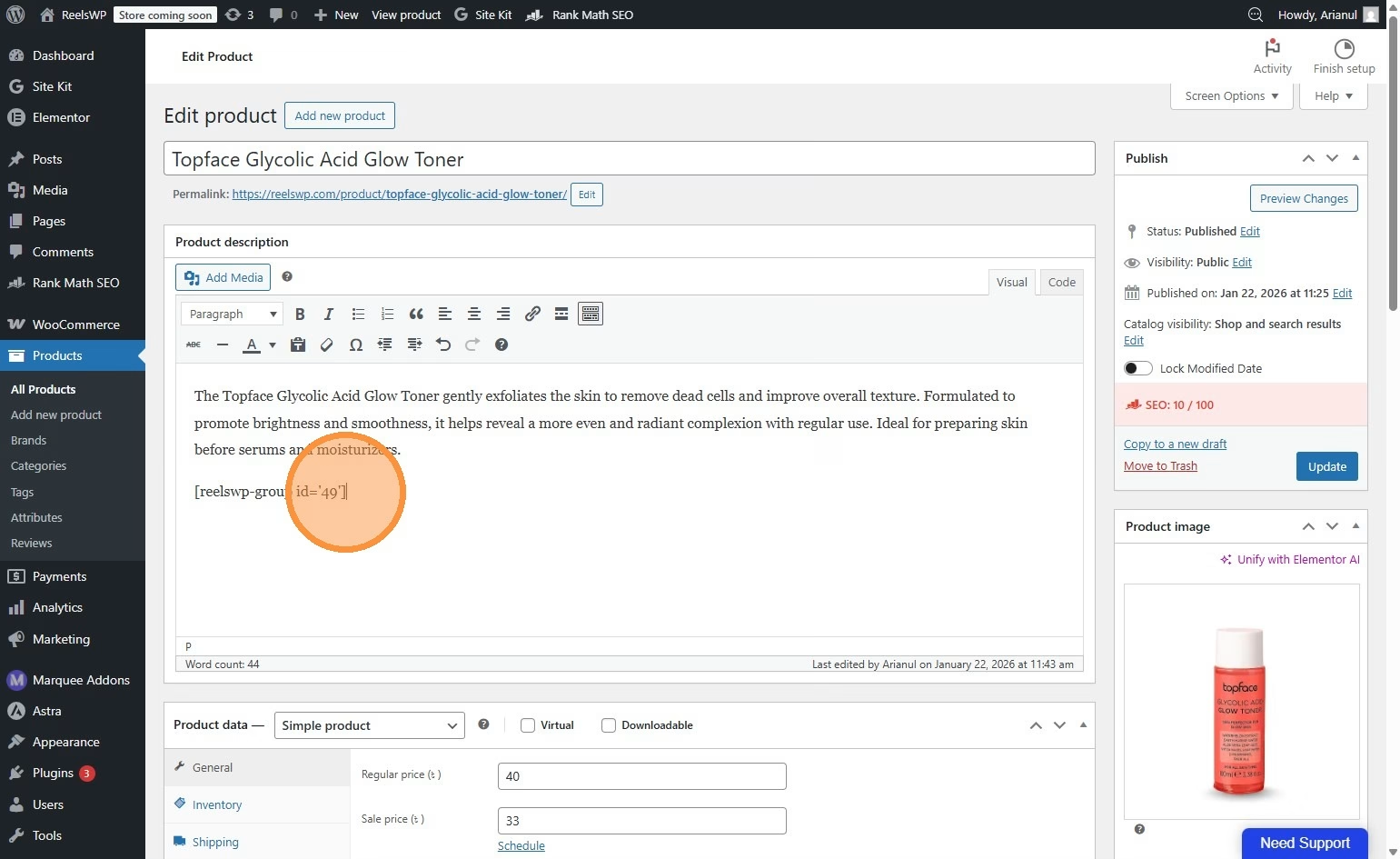
Save your widget and add its shortcode to a product description, or use the Gutenberg block or Elementor widget.
Screenshots from the ReelsWP setup guide. View the product-page guide
More options with Pro
Add floating popups, more layouts, and playback controls to the videos you already use.
Keep a carousel scrolling, arrange videos in a stack, or show a floating video popup beside your page content.
Let visitors press play, start videos automatically, or play them on hover. Choose what works for the page.
Connect YouTube Shorts, Vimeo, or a custom video URL. You can also use files hosted on your own WordPress site.
Tag WooCommerce products so visitors can open the details from a video. Add a clear link or shopping button to help them find the item.
| For your store | Free | Pro |
|---|---|---|
| Grid & Carousel layouts | Included | Included |
| Marquee, Stacked & floating Popup | — | Included |
| Playback | Play on click | Click, autoplay & hover |
| Video sources | Your WordPress media library | Your WordPress files, YouTube Shorts, Vimeo & custom URLs |
| Shortcode, Gutenberg & Elementor | Included | Included |
Try the demo
See what shoppers see before you choose a plan.
Play a video, swipe to the next one, and open a featured product. Try the layouts on your phone, too.
Visit the demo storeThis store is a ReelsWP demo. It does not accept orders.

Choose your ReelsWP Pro plan
Pick the number of websites you need, then choose annual or lifetime access.
For one website.
What’s included:
For up to five websites.
What’s included:
For agencies managing up to 50 websites.
What’s included:
For one website.
What’s included:
For up to five websites.
What’s included:
For agencies managing up to 50 websites.
What’s included:
Customer examples
Product tutorials, customer videos, news clips—see where websites are putting ReelsWP to work.
Sports nutrition
Online retail
Hair care
Media & publishing
Beauty
Online retail
Hover or tap a card to see how they use it. Swipe to explore.
Before you get started
Here’s what to know about your videos, setup, and plan.
Explore the documentationNo. ReelsWP is a WordPress plugin for displaying videos and linking them to products. It does not generate videos or provide video hosting. Use videos you already own or have permission to share, hosted on your WordPress site or a supported video service.
Create a ReelsWP widget, add your videos, choose the layout, and save. Copy its shortcode into the product description or short description, then preview and update the product. See the guide.
Free lets you display videos from your WordPress media library in grids and carousels. Pro adds marquee and stacked layouts, floating popups, autoplay, hover playback, and more video sources. Compare all features.
You can use videos from your WordPress media library, YouTube Shorts, Vimeo, or a custom video URL. Hosting is provided by your website host or the video service you choose, not ReelsWP.
Yes. ReelsWP provides a dedicated Elementor widget and Gutenberg block. You can also use its generated shortcode.
Yes. The layouts adapt to smaller screens, and the video player supports swipe navigation. Check your chosen layout on a phone before publishing, especially product links and controls.
Large video files can affect loading. Compress your videos, choose suitable formats, and use hosting that can handle your traffic. Your files remain with your website host or video service; test the finished page on mobile before publishing.
The annual plan includes one year of updates and support. The refund window is 14 days from the original purchase and excludes renewals and upgrades. Subscriptions may renew automatically unless canceled. Read the current policy.
Try it on your store. If it isn’t the right fit, contact support within 14 days of your original purchase to request a refund. Renewals and upgrades are excluded.